LAP-AT

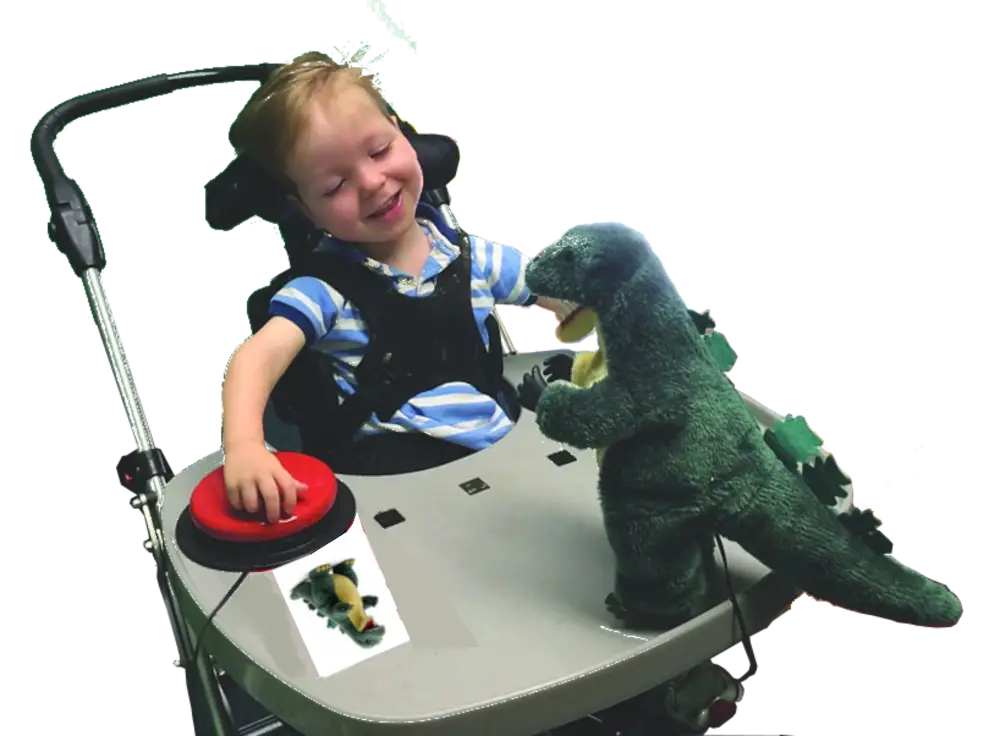
Little girl activating a toy dagon using a labelled big red assistive technology switch.
Lifespace Access Profile

Assistive Technology

Instructional Program Planning 

for Individuals with Severe or Multiple Disabilities

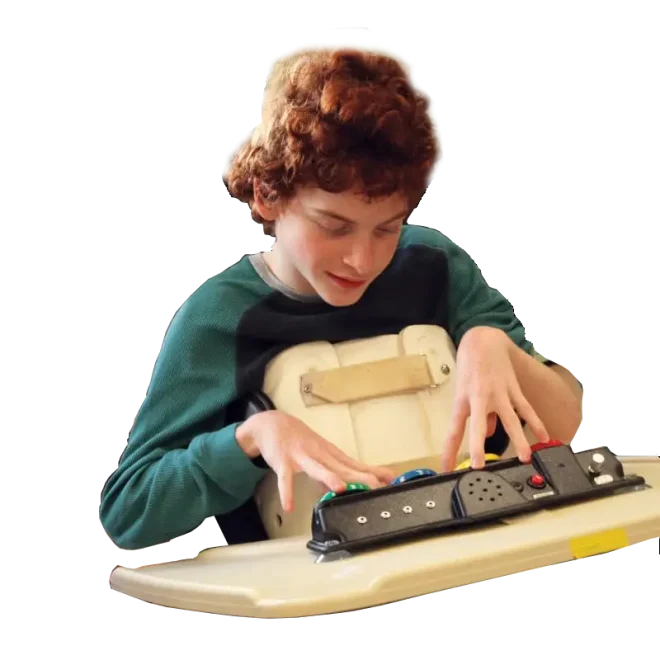
A boy with cerebral palsy activating a four place communication device as part of an LAP-AT assessment.

The LAP-AT is designed to create a shared perspective of an Individual's abilities and needs.

A HOLISTIC VIEW

The LAP-AT assessment process leads to this.

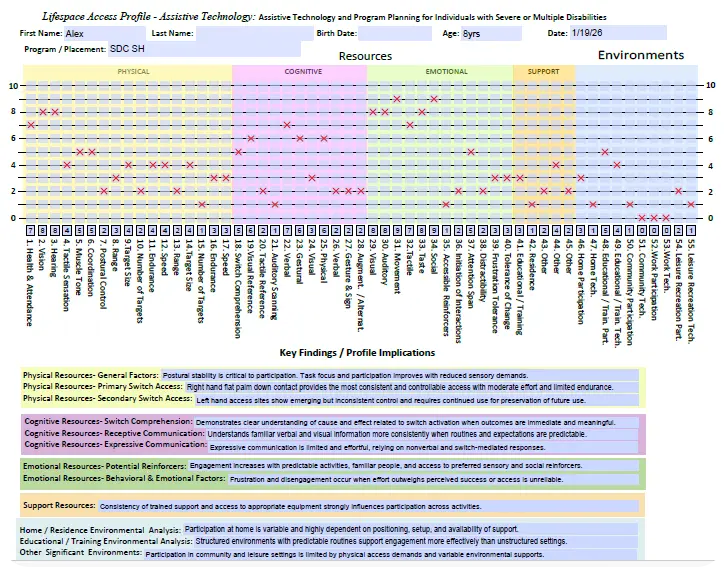
Results Graphing Across 55 Resource Areas

A comprehensive view of an Individual’s resources across four categories that have been shown to be critical for effective instructional planning.

Key Findings / Profile Implications

The Assessment and Planning Team’s list of twelve findings across Resource categories and Environmental analysis that are considerations related to Individualized program planning. 
Lifespace Access Profile-Assistive Technology

Lifespace Access Profile results graph showing student progress across 55 resource areas for IEP planning.

THE BEGINNING

How the process begins

Assemble a Multidisciplinary Team

Research shows that program planning is most effective when conducted by a multidisciplinary team that includes parents, family members, care providers, instructional and support personnel.

Having all the stakeholders involved in the process is essential.

Close-up of a multi-disciplinary team joining hands to symbolize collaborative teamwork in special education and the Lifespace Access Profile planning process.
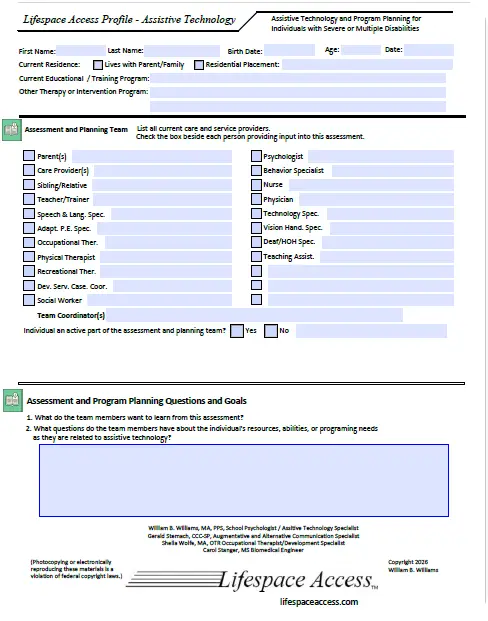
Sample page of the Lifespace Access Profile-Assistive Technology (LAP-AT) assessment form showing the multidisciplinary team identification section and checkboxes.
A supportive assessment team conducting a Lifespace Access Profile session with a young student in an educational setting

Assessment Process

Conducting the assessment

The Team records their rating in response to the directive statement or question presented for each rating scale. Many scales have additional fields for associated information or data. The Team notes clarify the rating and identify aspects of activities or settings that impact the Individual’s functioning.


Sample LAP-AT rating scale for Switch Comprehension, demonstrating the assessment of cause and effect understanding in assistive technology planning.

An integrated manual provides guidance for the completion of each rating scale and information gathering field.

Icon of the Lifespace Access Profile-Assistive Technology manual, providing a link to a sample manual page for the LAP-AT assessment.
Manual (click here)

IDENTIFICATION OF SWITCH ACCESS SITES

Switch Access

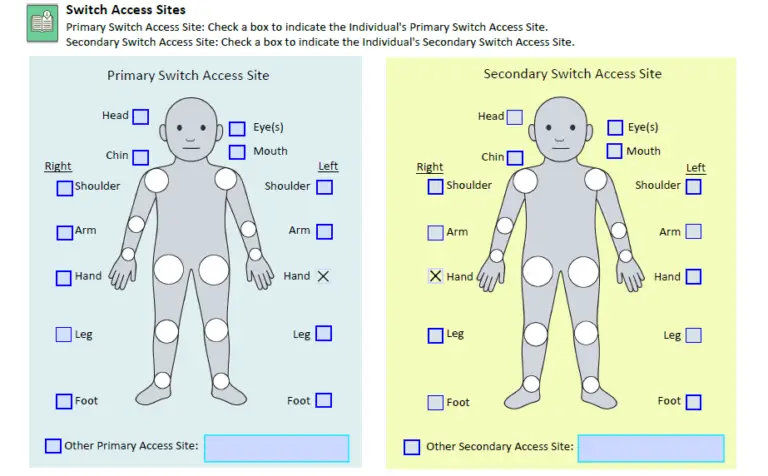
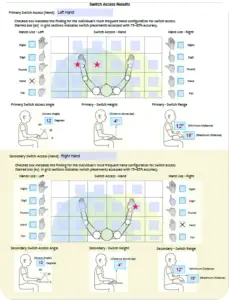
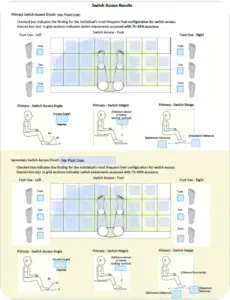
The assessment  involves identifying a Primary and Secondary Switch Access Site and gathering information about the Individual capabilities at those sites.

LAP-AT assessment form for identifying Primary and Secondary Switch Access Sites, including site characteristics and switch positioning.

DISPLAY USE

Visual Access

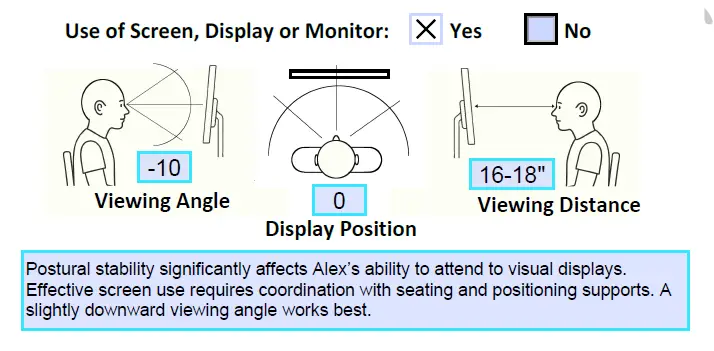
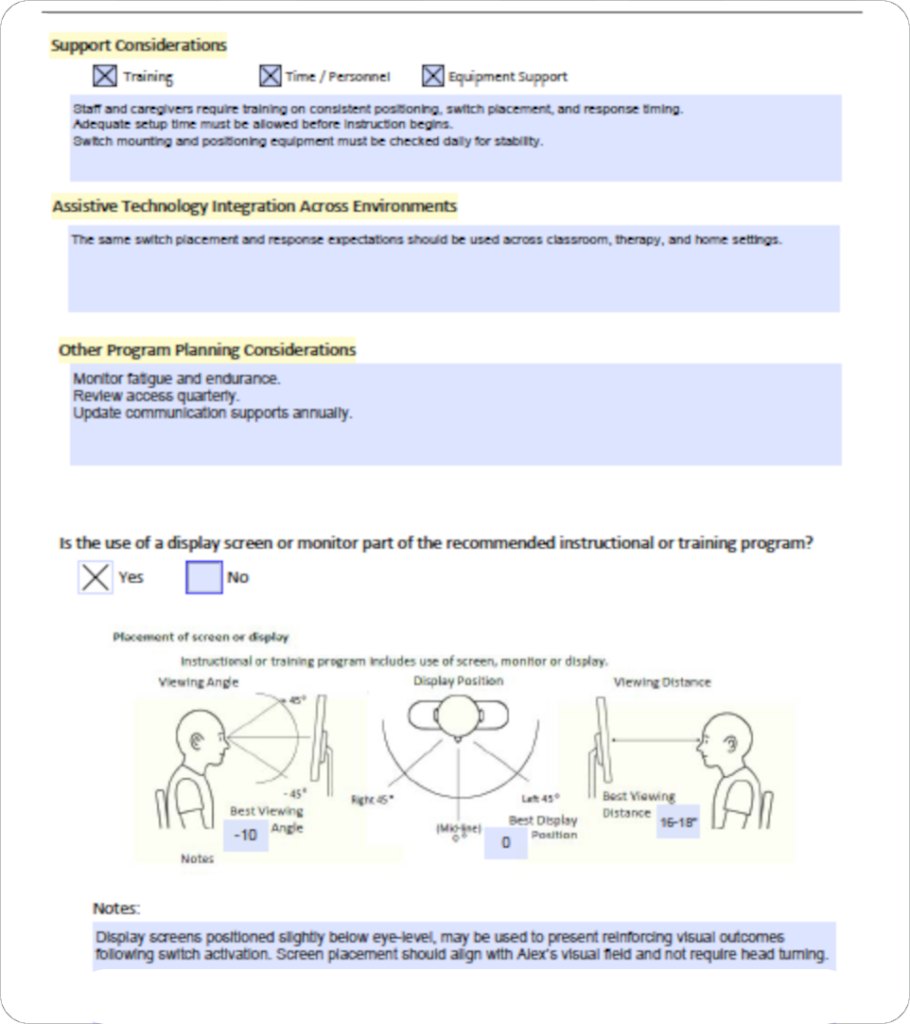
Use of display screens and their positioning is also considered.

Technical diagram of Visual Access parameters for the LAP-AT, illustrating viewing angle, display position, and viewing distance considerations for students with limited postural stability.

ANALYSIS & SYNTHESIS

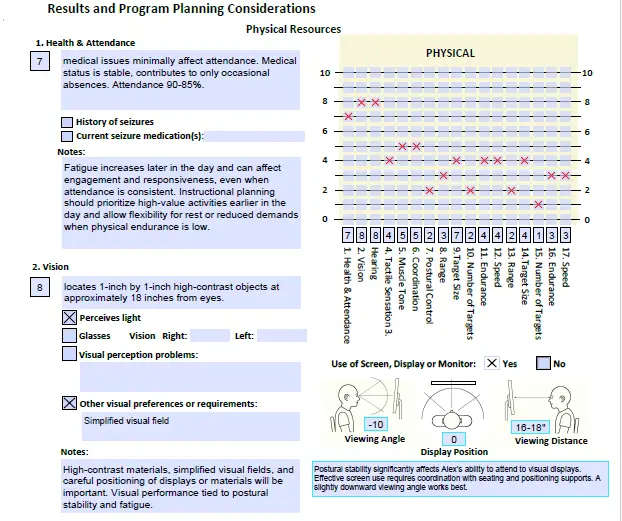
Sample LAP-AT Results and Program Planning Considerations page for Physical Resources, showing the assessment checklist and physical resources results graph for IEP planning.
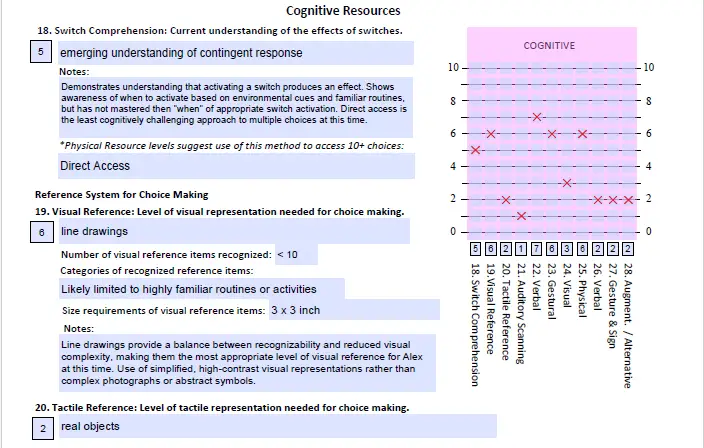
Sample LAP-AT assessment page for Cognitive Resources, featuring rating scales for switch comprehension and choice-making reference systems along with the cognitive results graph.
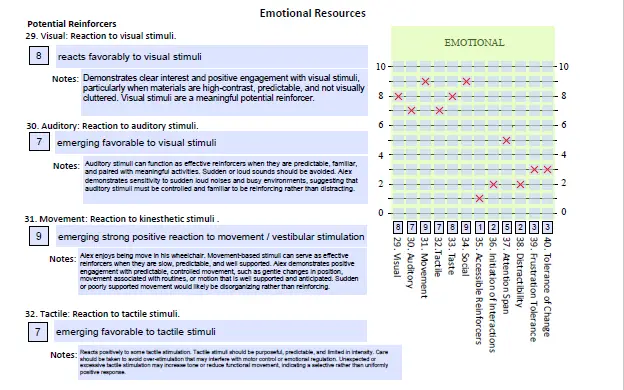
Sample LAP-AT assessment page for Emotional Resources, featuring rating scales for visual, auditory, and movement reactions alongside a results graph for student profile analysis.
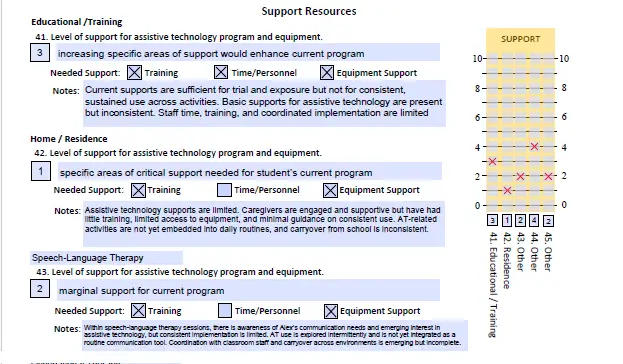
Sample LAP-AT assessment page for Support Resources, featuring rating scales for Educational, Home, and Speech-Language Therapy environments, including identified needs for personnel and equipment alongside a results graph.

Findings and Priorities

Based upon their review and discussion of the information gathered in the assessment the Team identifies areas that represent program planning priorities within each Resource Category.

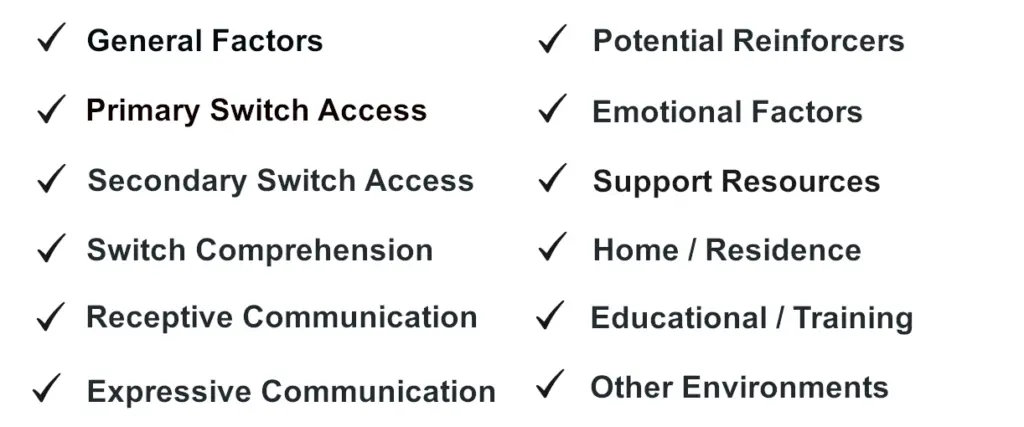
Graphic of the LAP-AT Program Planning Considerations checklist, showing priority areas such as Switch Access, Switch Comprehension, and Communication for multidisciplinary team review.
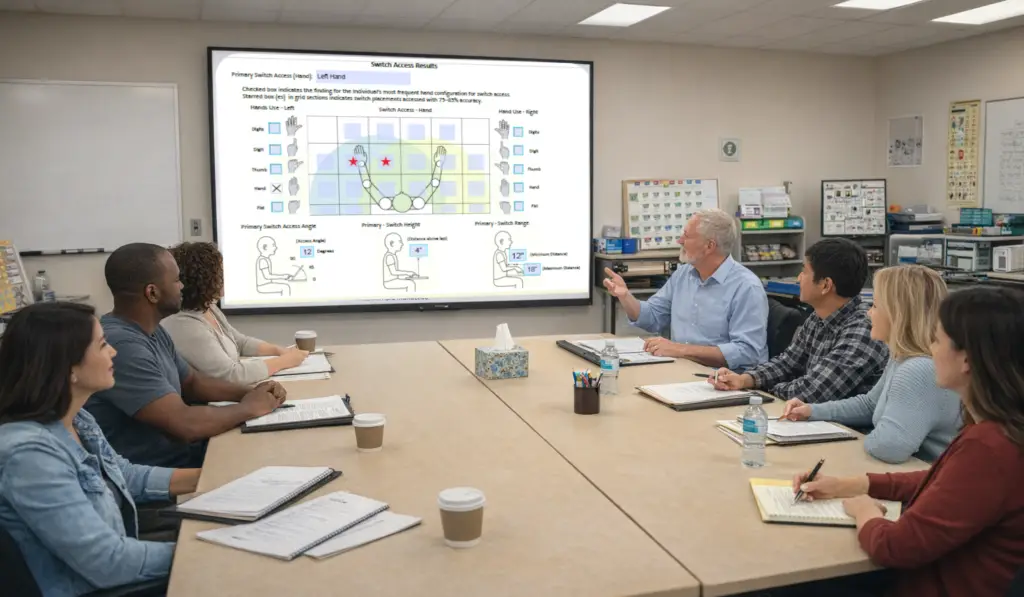
A multidisciplinary team of educators and specialists collaborating in a meeting room to review LAP-AT assessment results and develop an individualized instructional program for a student.

PRIORITIES AND SPECIFICATIONS

A Roadmap for Progress

The LAP-AT process leads to the Team’s recommendations for Resource Development Priorities and the features of an individualized instructional or training program to support that growth.

Resource Development Priorities

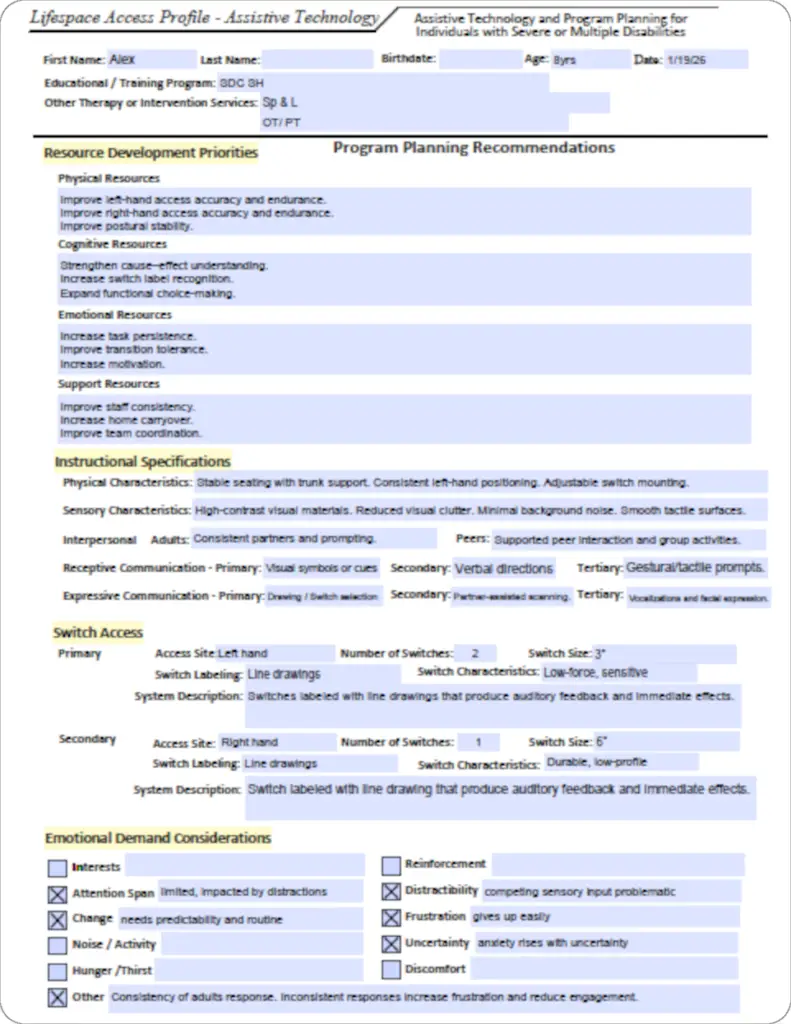
Instructional Specifications

Switch Access

Emotional Considerations

Support Resources

Assistive Technology Use

Display Use

Sample LAP-AT Instructional Specifications form detailing a student's individualized requirements for physical seating, sensory high-contrast materials, and primary switch access site characteristics.
Sample page of the LAP-AT program planning tool titled 'Other Program Planning Considerations,' featuring a question about display screen use with 'YES' and 'NO' checkboxes, and sections with completed planning notes.

THE PURPOSE

Lifespace Access Profile-Assistive Technology (LAP-AT)

A smiling young boy in a power wheelchair with his supportive parents, highlighting the family-centered and collaborative approach of the Lifespace Access Profile (LAP-AT).

What it is

The LAP-AT is an assessment and individualized program planning instrument for Individuals with Severe or Multiple Disabilities using the Learner Resources Model and a multidisciplinary team approach. 

What it isn’t

The LAP-AT is not a norm referenced or standardized test. It does not diagnose or identify any disability or handicapping condition.